
If you run a small team, you already know the real enemy isn’t competition. It’s the pile of tiny tasks that never stops. The follow-ups, the scheduling, the “quick” edits, the receipts, the notes you swear you’ll file later.
That’s why AI tools for small businesses matter so much in 2025. I don’t use them to feel futuristic. I use them to automate high-volume manual work so I can scale results without hiring another full-time person (or turning into a full-time firefighter).
Why do AI tools for small businesses feel different in 2025?

In 2025, I don’t just ask AI to write something. I set it up to do the repetitive parts of my day for me. That’s the big shift. The best tools behave like virtual teammates: they summarize calls, build automations, organize calendars, and keep projects moving.
I also love how “agentic” tools change the game. Instead of giving me suggestions, they help me take action faster. They draft outreach, route leads, and answer customer questions using my actual business information.
When I set this up right, I spend less time on admin and more time doing the work that actually grows revenue.
Which AI tools for small businesses should you use for core operations?

If you feel buried in emails, meetings, and scattered notes, start here. These tools make your day calmer because they handle the “busywork glue” between tasks.
Microsoft 365 Copilot
Microsoft 365 Copilot fits perfectly if you live in Word, Excel, Outlook, or Teams. I use it to draft internal docs, summarize threads, and pull insights from spreadsheets without spending an hour building formulas. It doesn’t replace my judgment, but it saves my time.
Dialpad AI
Dialpad AI helps when calls drive your business. I like the real-time transcription and AI recaps because I stop losing action items. After a call, I get a clean summary of decisions and next steps, which keeps my pipeline from leaking.
Reclaim.ai
Reclaim.ai is the calendar tool I recommend to anyone who says, “I have no time.” It schedules meetings intelligently and protects time for habits and recurring work. If you want your calendar to support your priorities instead of destroying them, this one earns its spot.
How do marketing-focused AI tools keep your brand looking expensive?

A lot of small businesses don’t struggle with ideas. They struggle with consistency. The brand feels “different” on every platform because life moves fast and the creative work comes last.
Canva Magic Studio
Canva Magic Studio makes it easier to ship polished visuals without hiring a designer for every tiny need. I use it for on-brand social graphics, quick presentation decks, and even short video pieces when I want something clean and modern.
Jasper AI
Jasper AI helps when you publish often and want your voice to stay consistent. It adapts to your brand style guide, which matters when you produce blogs, ads, and emails at the same time. I treat it like a writing assistant with guardrails, not a magic wand.
Buffer AI
Buffer AI supports the social routine. I use it to brainstorm post angles and keep scheduling simple across platforms. I stay in control of the final message, but I don’t start from a blank page every time.
Descript
Descript makes video editing approachable. I love that I can edit by deleting words from a transcript. If you’ve ever avoided video because editing feels painful, this tool removes that mental block fast.
What sales and customer support AI tools actually help you close deals?
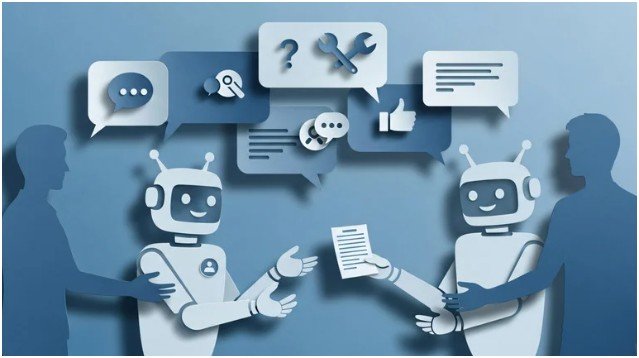
In 2025, sales AI wins when it reduces lag. The follow-up that should happen today actually happens today. The customer question gets answered without a 24-hour wait.
Salesforce Agentforce
Salesforce Agentforce sits on top of customer data and helps you act on it. I like how it can answer questions about accounts, surface opportunities, and draft personalized outreach. It saves time while still letting you apply your own tone and strategy.
Intercom Fin
Intercom Fin handles customer support with real muscle by pulling answers from help content. If you already have articles, docs, or a knowledge base, this turns that into instant 24/7 support. That means fewer tickets and faster resolution.
Tidio
Tidio combines live chat with AI bots, which works well for small teams. I like it for qualifying leads and handling routine questions before a human steps in. That keeps your team focused on higher-value conversations.
Which finance AI tools help you stop guessing about cash flow?
Finance doesn’t need to feel complicated, but it does need to feel current. AI helps by keeping your data clean and your insights timely.
QuickBooks AI
QuickBooks AI automates transaction categorization and gives you real-time cash flow visibility. I find it most valuable when I want answers quickly without digging through reports.
Fathom
Fathom works well for forecasting and profitability reporting. If you want to make decisions with confidence—like hiring, expanding, or adjusting pricing—this kind of forecasting helps you move from gut-feel to data-backed.
Upmetrics
Upmetrics helps founders build investor-ready plans, financial models, and pitch decks. Even if you don’t plan to pitch tomorrow, a structured plan tightens your thinking and clarifies what you actually need to hit your goals.
Quick comparison table: my 2025 stack by job-to-be-done
| Business need | Tool | What I use it for | Best when you… |
| Docs + data + meetings | Microsoft 365 Copilot | Drafting, summarizing, spreadsheet insights | Live inside Microsoft 365 |
| Workflow automation | Zapier Central | Connecting apps + automating repetitive workflows | Use many tools and hate manual copying |
| Calls + follow-ups | Dialpad AI | Transcription + action-item recaps | Sell or support over phone/video |
| Time protection | Reclaim.ai | Auto-scheduling + focus blocks + habits | Feel calendar chaos daily |
| Design + brand assets | Canva Magic Studio | On-brand graphics + decks + quick videos | Need consistent visuals fast |
| Content at scale | Jasper AI | Brand-voice blog + marketing copy | Publish a lot and want consistency |
| Social planning | Buffer AI | Ideas + scheduling | Post regularly without burnout |
| Video editing | Descript | Edit videos via transcript | Want video without editor pain |
| Customer support | Intercom Fin / Tidio | 24/7 answers + lead qualification | Need faster response times |
| Accounting + cash flow | QuickBooks AI / Fathom | Categorization + forecasting | Want real-time financial clarity |
| Business plans | Upmetrics | Plans + models + pitch decks | Need structure for growth/funding |
How do you start using AI tools for small businesses without getting overwhelmed?
I always start with one rule: automate one annoying workflow before you buy five tools. Momentum beats complexity.
Step 1: Pick your biggest time leak.
I choose one pain point that shows up every week. Scheduling? Follow-ups? Content production? Receipts? If you can name it in one sentence, you can fix it.
Step 2: Choose one “hub” tool first.
If you already run on Microsoft, start with Copilot. If you juggle multiple apps, start with Zapier Central. If meetings swallow your week, start with Reclaim.ai. One hub tool creates immediate relief.
Step 3: Set a simple success metric.
I track something practical, like “save 3 hours per week” or “reply to leads within 10 minutes.” AI feels exciting, but I only keep tools that deliver measurable impact.
Step 4: Build one automation that runs daily.
For example: a lead form → CRM → Slack message → calendar link → follow-up email sequence. Zapier Central makes this easier because you can describe what you want and refine from there.
Step 5: Train your team with a lightweight habit.
I don’t force people to “learn AI.” I ask them to use one feature: read the Dialpad recap, use the Copilot summary, or drop social ideas into Buffer. Small adoption wins.
Step 6: Add skill-building so you don’t waste the tools.
If you want a structured entry point, I’d use the Google AI Essentials course as a practical “how to apply AI at work” baseline. The goal is simple: use AI confidently without making messy, risky workflows.
FAQ: Real questions I get about AI tools for small businesses
1. Are AI tools for small businesses worth it if I’m solo?
Yes, especially if you do sales, support, and marketing alone. I treat AI like a part-time assistant I don’t have to manage. Start with one tool that saves time immediately, like Canva Magic Studio for visuals or Reclaim.ai for scheduling. When you reclaim a few hours weekly, you can spend that time on revenue tasks instead of admin.
2. What’s the safest first AI tool to adopt?
I start with the tool closest to your current workflow. If you use Microsoft daily, Microsoft 365 Copilot fits naturally. If you bounce between apps, Zapier Central brings order fast. I avoid “big stack” purchases early. One tool, one win, then expand.
3. Will AI hurt my brand voice or make my content sound generic?
It can, if you publish without editing. I use Jasper AI as a first draft engine and a consistency checker, not a final writer. You still need your point of view, examples, and opinions. The good news is that once you set a style guide and keep refining, AI becomes better at sounding like you.
4. Do I need AI chatbots if I already have email support?
If response time matters, yes. Tools like Intercom Fin or Tidio reduce wait time and handle repetitive questions instantly. I still keep humans for complex issues. The bot handles the “Where is my order?” and “How do I reset my password?” stuff so your team handles the real conversations that build loyalty.
AI tools for small businesses won’t save you if you keep doing everything the hard way
Here’s what I’ve learned the blunt way: AI doesn’t fix a chaotic workflow. It amplifies whatever you already do. If your process makes no sense, automation just makes the mess happen faster.
But when you pick one workflow, simplify it, and then automate it? That’s when you feel the magic. Your week opens up. Your response time improves. Your marketing looks consistent. Your cash flow feels less mysterious.
My warm tip: choose one task you dread doing tomorrow, and set up AI to handle the first 80% of it tonight. You’ll wake up feeling like you hired help—without actually hiring help.